

Mechitcalc 1.0
Mechitcalc 1.0 is live. A piping and pressure vessel calculation tool I built over two years because nothing on the market did what I needed.
If you’re a piping engineer designing to ASME B31.3 or EN 13480, or working on marine vessels under DNV, BV, or Lloyd’s Register, this is for you. You can try it at https://mechitcalc.com.
Why I Built This
Two years ago I started building this program. I’m a mechanical engineer who performs piping and pressure vessel calculations daily. I’ve used tools like PV Elite and custom Excel sheets, but they always left me a bit unsatisfied.
Often these programs make it hard to calculate multiple sizes across different temperature and pressure combinations, and Excel sheets are limited, they can’t really enforce logic. What also let me down was the PDF reports: they don’t explain the steps clearly and tend to obfuscate the details, making it hard to review the work.
Goal of Mechitcalc
I started with a simple idea: a calculation tool for pipe specs where you can always dive into the results, check the formulas, and input data quickly. Getting the information I need in a couple of minutes without having to look up material properties or run separate calculations elsewhere.
What I am most proud of
Building something like this while having no experience building web applications has been a daunting task. But my knowledge of general coding and python helped a lot with the backend. And using Skeleton.dev with svelte in the front-end has accelerated building that part too.
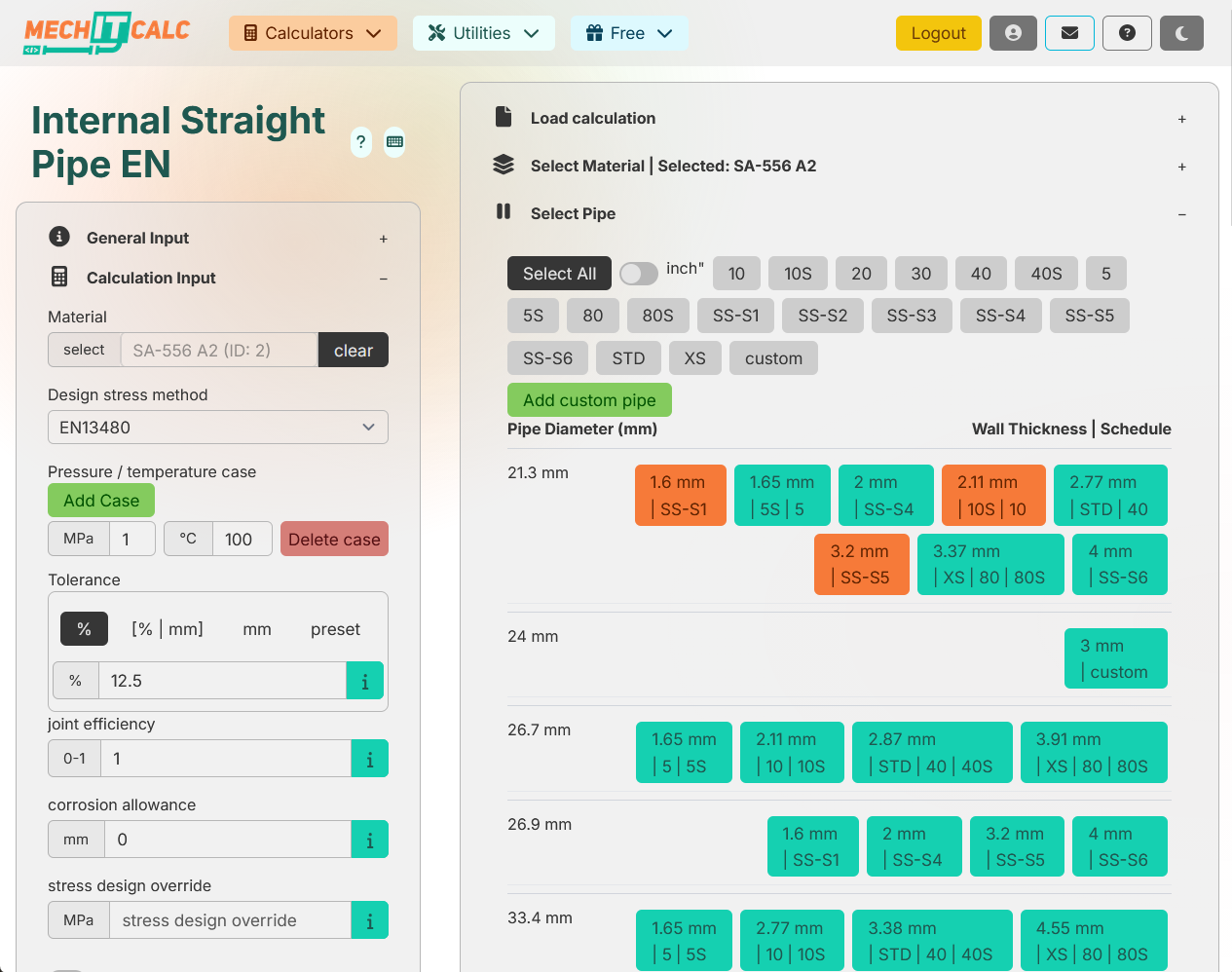
Material database
I created my own material database with handlers that store more than 2,000 material records in a way that preserves the source of the information.
The database also handles cross-code material usage. For example, when using an ASME material in an EN design code, it infers the material type from the P-Number since ASME doesn’t have an austenitic signifier. And since ASME materials don’t have an Rp1% value, it falls back to the Rp0.2% value.
Tolerance system
I built a small system on top of the pipe objects that calculates tolerances, not just whether the tolerance is in mm or percentage, but also tolerance classes like ISO t3 or what’s specified in EN10216. These tolerance systems change based on thickness and diameter, so they’re always a pain to calculate in other programs. On top of that, the minimum required thickness calculation can retroactively work backwards through the tolerance system to find the correct nominal thickness.
External pressure
ASME external pressure calculations pull from multiple tables and include an extra check for plastic versus elastic failure. All of these have been incorporated into the program along with every external pressure table. The best part: when you select a material, the system suggests which external pressure chart you need based on what’s documented in ASME Section 2D.
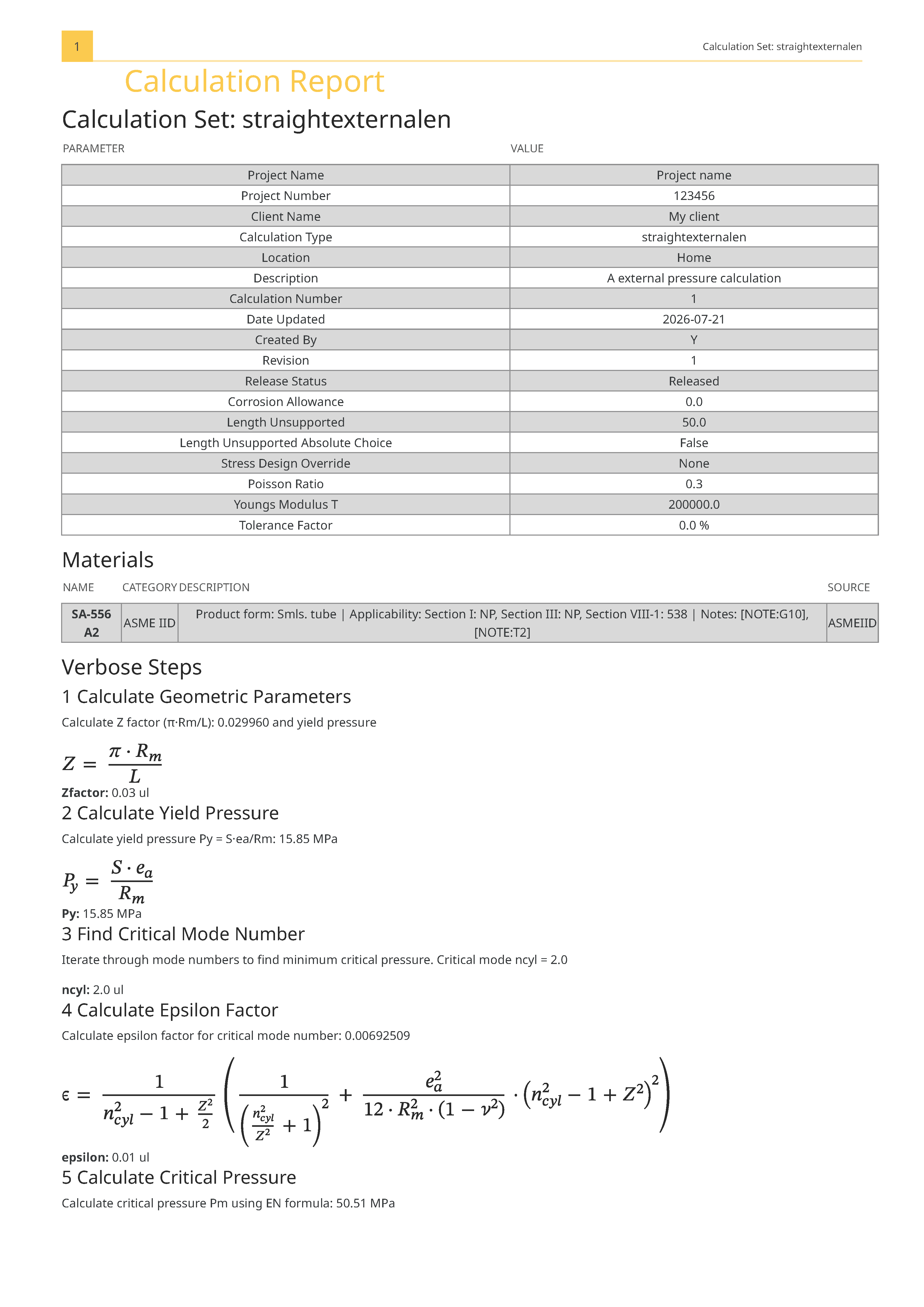
The EN external pressure calculation is iterative, the program runs all the iterations to find the right number of n values. Doing this by hand takes minutes per case; here it’s instant.
PDF Report
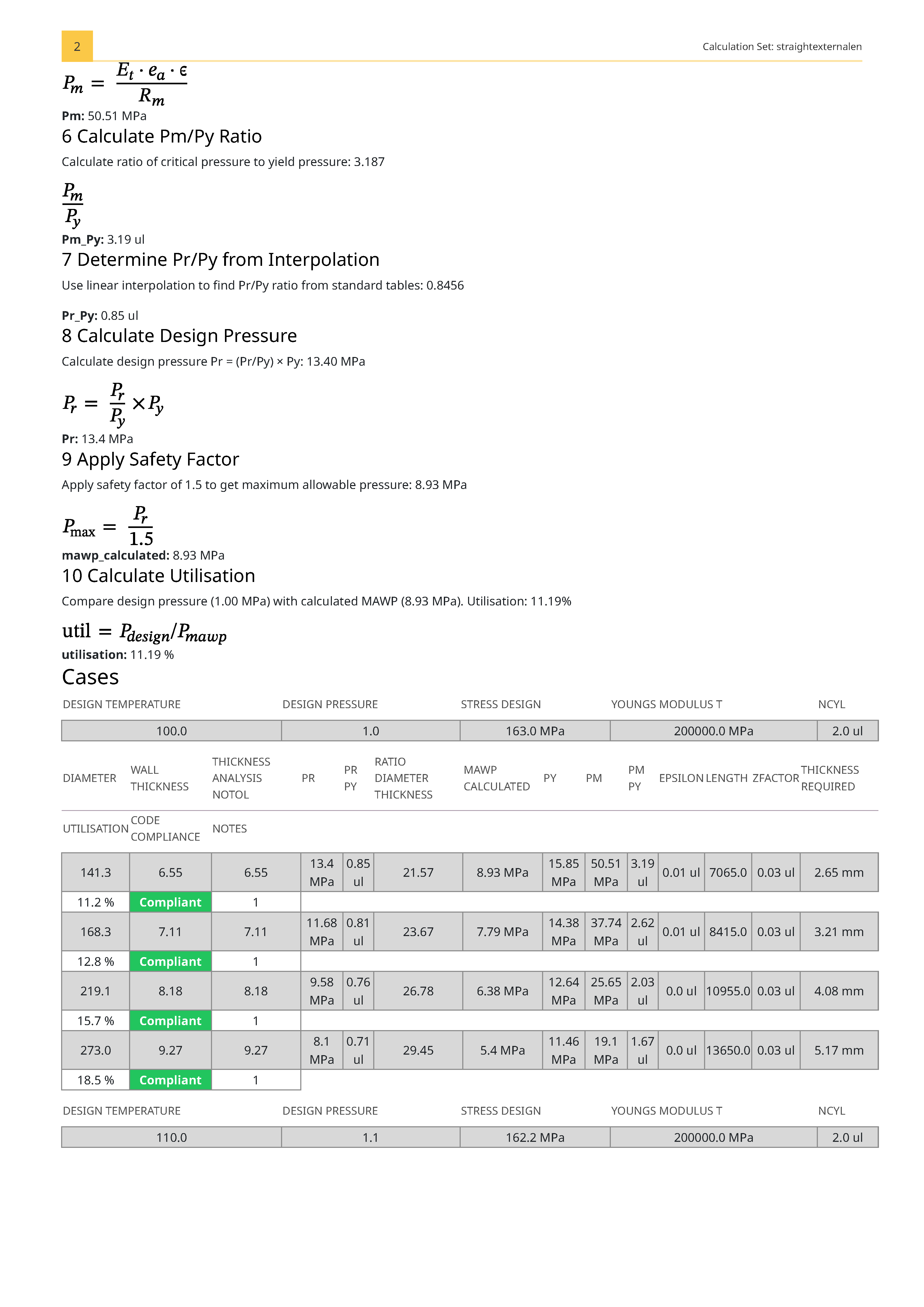
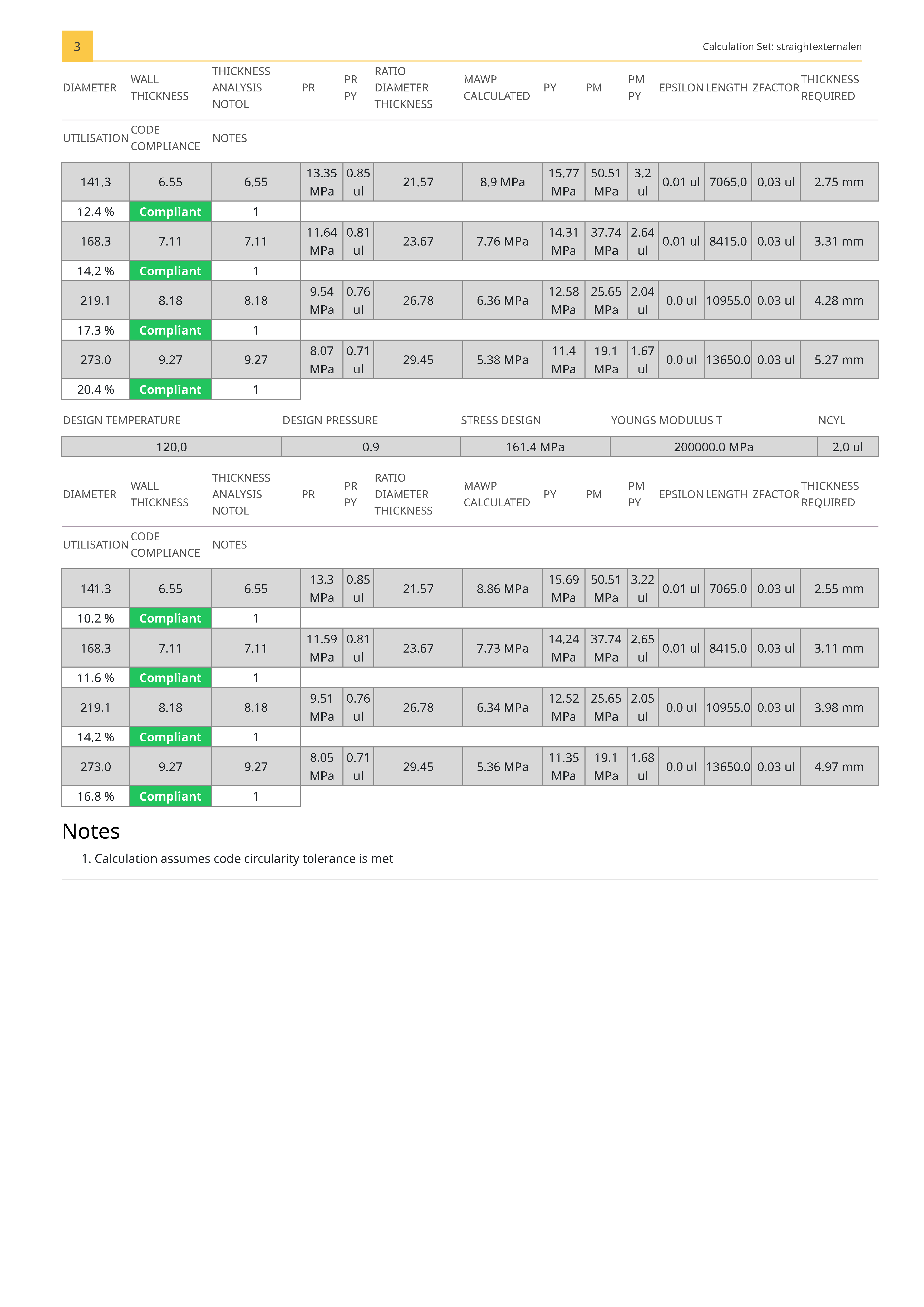
Building a PDF report generator was a lot of work. It’s very important to me that reports use proper formula formatting instead of plain text, it’s nearly impossible to read otherwise. The main challenge was handling table layouts that change dynamically and cover a lot of data.
I built a flexible system that handles anywhere from 1 calculation to 200 calculations across different cases, generating a clean, readable report automatically.
EN 10253 Welding Tee and Heads Mode
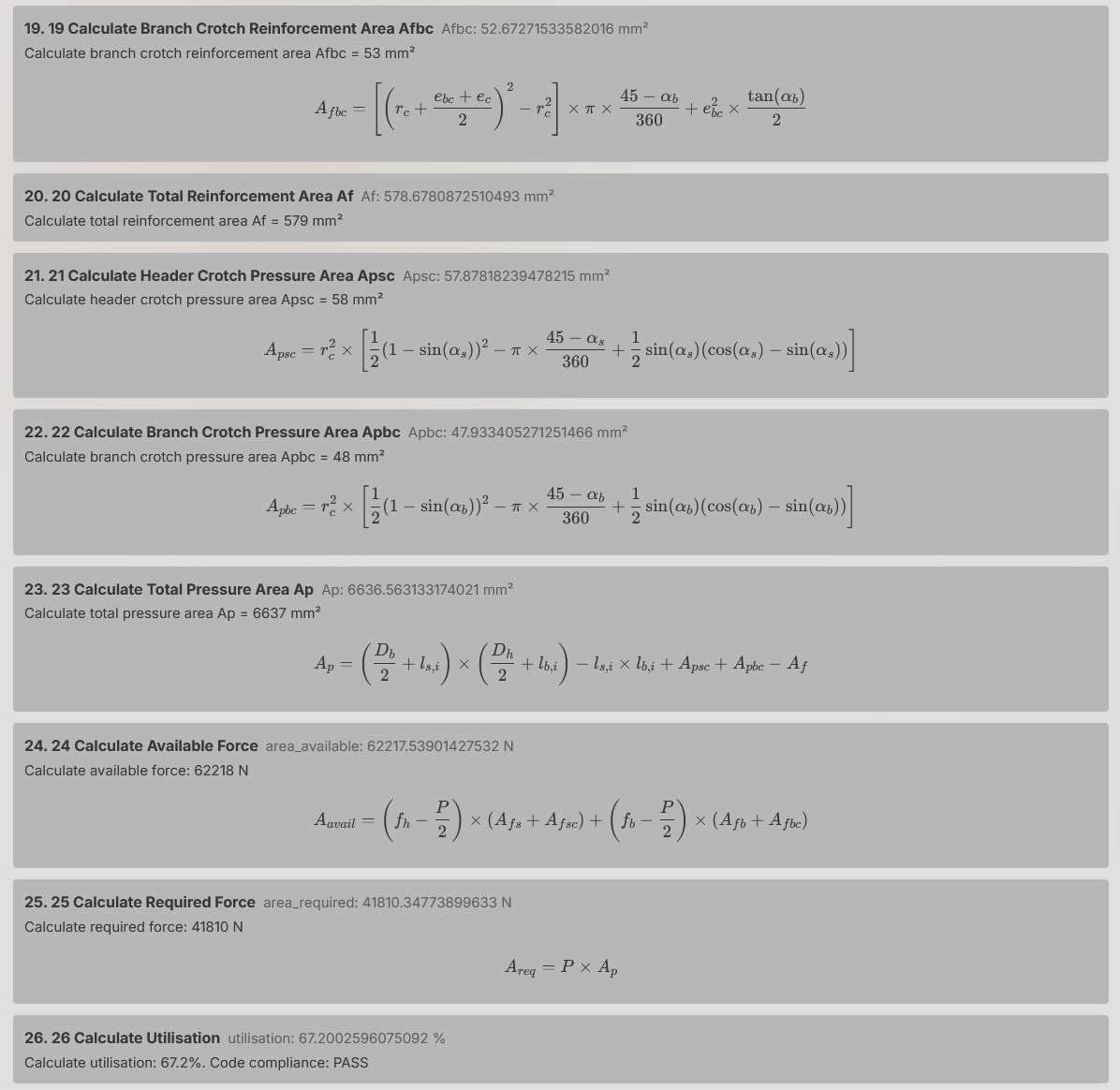
The branch calculation module includes a welding tee mode that lets you calculate welding tees per EN rules. This also lets you calculate ASME tees according to EN code, because technically you’re not allowed to use ASME tees without calculation in EN13480 piping.
The calculation is involved: 26 steps and long formulas. Another big time-saver.
The same approach applies to heads, using the EN13480 calculation method (same as EN10253). So you can calculate ASME heads using EN methods.
1.0 Core features
| Calculation | ASME B31.3 | EN 13480 |
|---|---|---|
| Internal pressure | ✓ | ✓ |
| External pressure (Div 1 / EN13445) | ✓ | ✓ |
| Branch connections (pipe-to-pipe set-on) | ✓ | ✓ |
| Pipe bending | ✓ | ✓ |
| EN 10253 Tee mode | - | ✓ |
| EN 10253 / EN13480 Head calculation | - | ✓ |
Utilities
- Material data lookup with ASME Section 2D additional notes
- Test pressure calculation per PED
- Manage tool to remove and open saved calculations
Marine codes
Design stress selection for DNV (including gas fuelled), BV (Bureau Veritas), RINA, and Lloyd’s Register.
EXPSR
Design stress selection from EN 14460 for explosion shock resistance.
Output
- Fully automatic module for creating piping calculation reports
- Output table with formula view and verbose output per calculation
- Failures include reasons and additional notes for clarity
New in the 1.0 Update
Alongside the release, I added a few quality-of-life improvements:
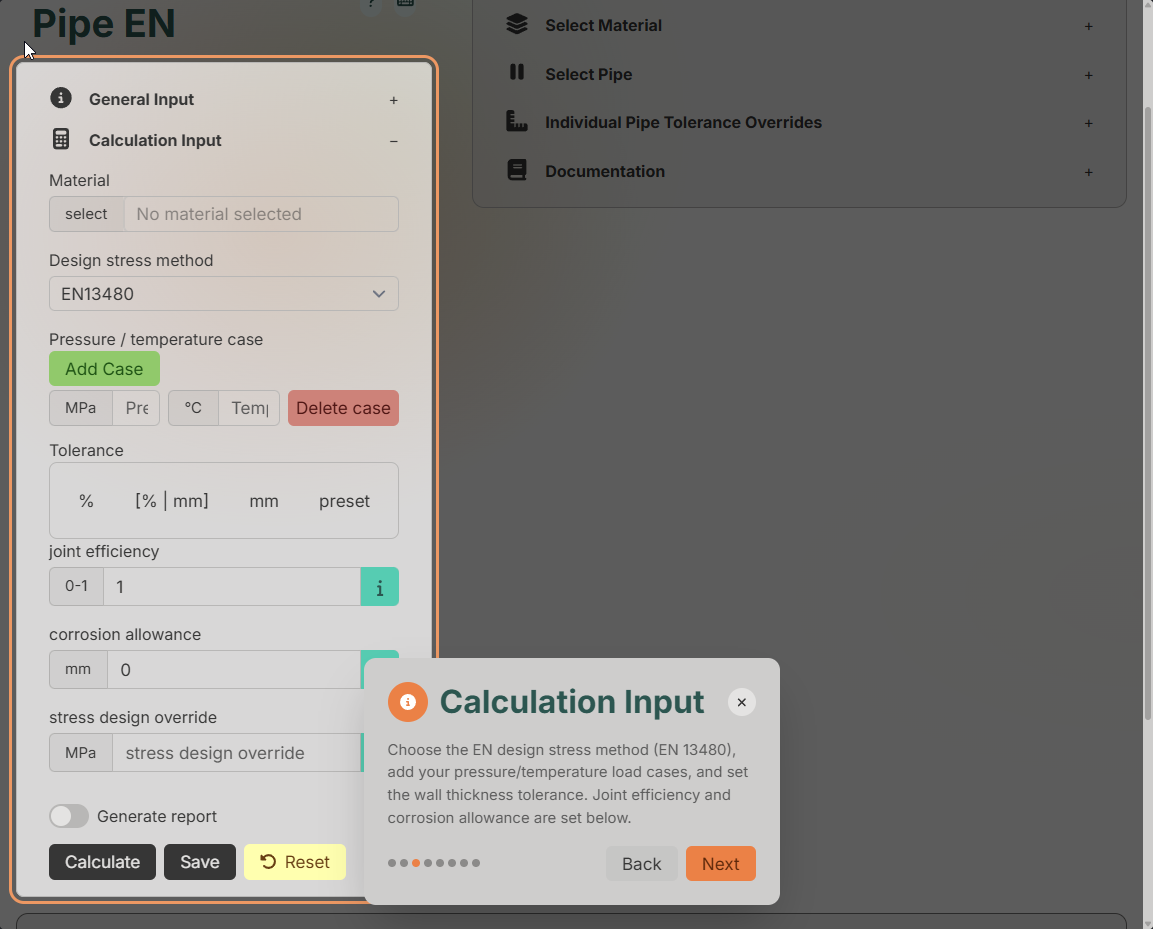
Step-by-Step Guide
Hit the guide button and the interface walks you through each calculation step-by-step as a wizard.
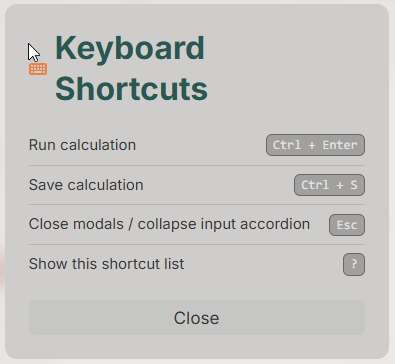
Keyboard Shortcuts
A set of keyboard shortcuts for faster input, with a button that shows all available shortcuts.
Reset Button
Reset all inputs or save as a new calculation. When you have a saved calculation, it asks whether you want to clear just the input while keeping project data, or start fresh.
Copy Button
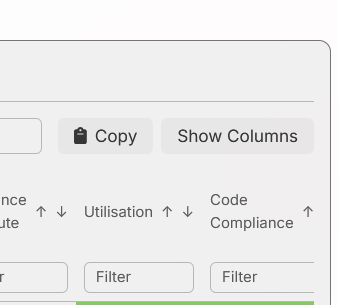
Copy the results table to your clipboard as CSV, paste it directly into Excel and format it as a table.
Roadmap
A few improvements already in the pipeline:
- Add EN10216, 10217, 10222, and 10028 materials (first up)
- Young’s modulus lookup for external pressure calculation from material info
- Branch connection for Set-In type branches
- Minimum wall thickness checks for ship class societies
- Custom user-defined materials
Go ahead and check it out at https://mechitcalc.com.